Delete Your Deskdragon Account
To delete your account, please follow these steps
- Log in at Deskdragon.com
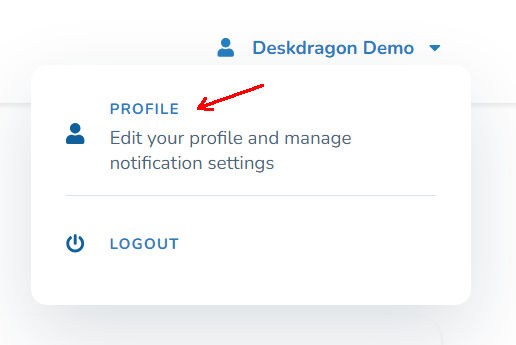
- Click on the drop-down menu in the top-right corner, then click on Profile
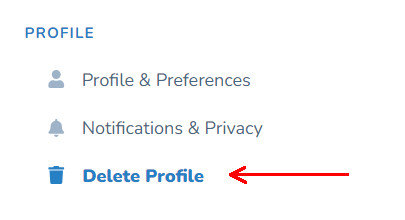
- In the menu on the left, click on Delete Profile
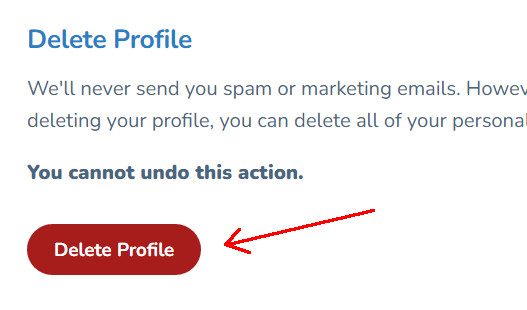
- Click on the red Delete Profile button
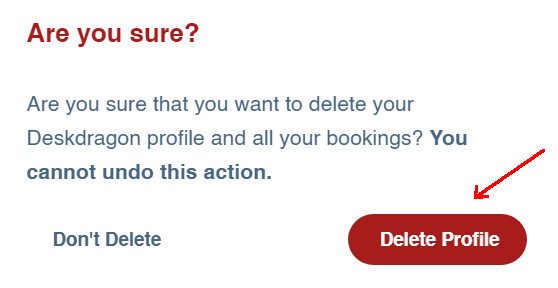
- In the confirmation dialog, click on Delete Profile
Types of data
Your name, email address, profile settings, and desk bookings will be deleted.
Retention period
No retention period is applicable - your account is immediately deleted
If you have any questions or need help deleting your account, please contact us at [email protected]